What is Curbside Pickup?
Curbside pickup is an easy to use feature in TapMango's mobile ordering suite that allows your customers to place orders, but indicate they won't be coming into the store. This is an excellent feature for businesses that want to allow customers added flexibility in how they receive their orders, while enhancing customer service.
Advertise your Web Ordering
See our guide on advertising your web ordering for more details. It's simple, you just send an email!
Turning On Curbside Pickup
Curbside pickup is easy to turn on. Just navigate to your menu catalog to get started:
1Step 1Select Orders > Catalog.
2Step 2Select the location group you want to turn on Curbside Pickup for.
3Step 3Open Locations, find your location, and check Curb Side Pick Up.
4Step 4Save when finished.
How Does Curbside Pickup Work?
Curbside pick up is very simple, customers will now see it as an option when selecting their order preferences.
What your Customers do
1Step 1Choose the location the order will be placed at. If you have only one location, this step is skipped.
2Step 2On the Order Ahead screen, choose a pickup time: today / ASAP, or a future time.
3Step 3Choose a pickup method: In-Store or Curbside.
4Step 4When Curbside is selected, the customer enters a description of their car, or how to identify themselves when they arrive (car make and color, license plate, or clothing).
5Step 5The customer continues to place the order as normal.
6Step 6The customer can open the order and tap I'm here to have it brought out to the curb.
What you and your Staff do
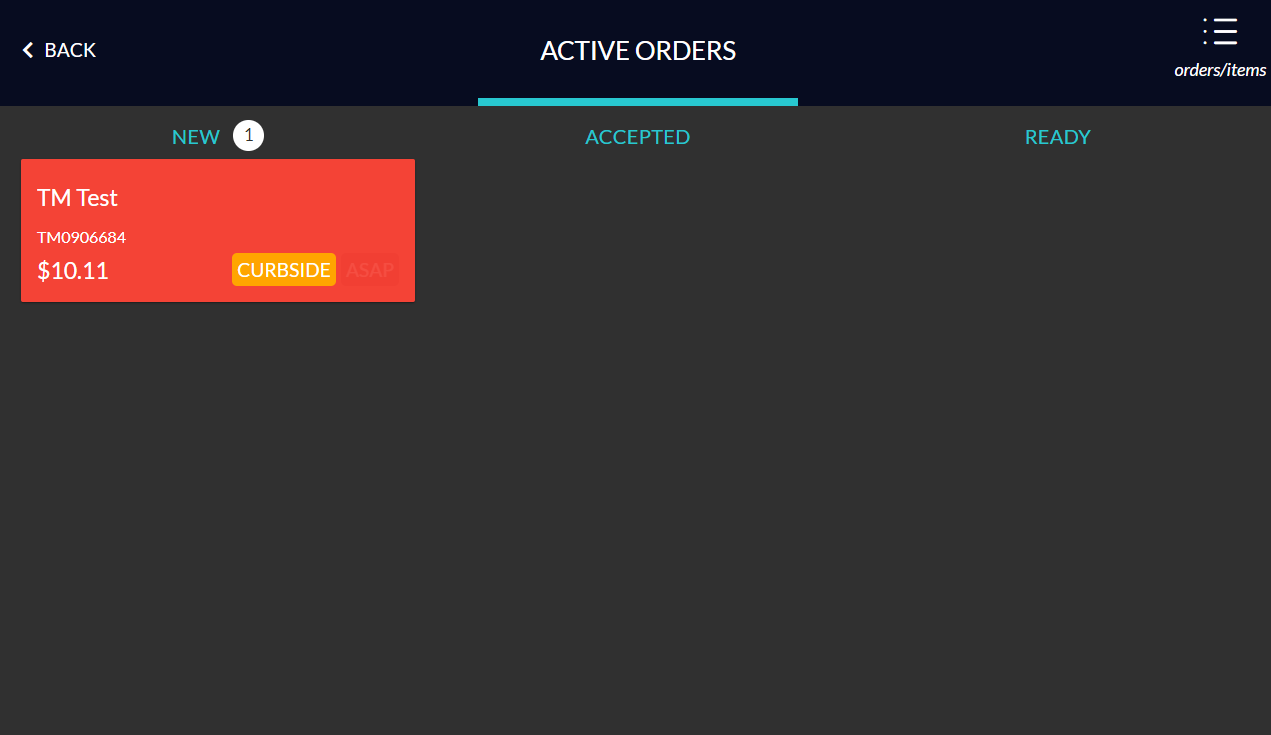
1Step 1You'll receive an order notification as normal on your tablet's cashier side. The notification type is CURBSIDE.
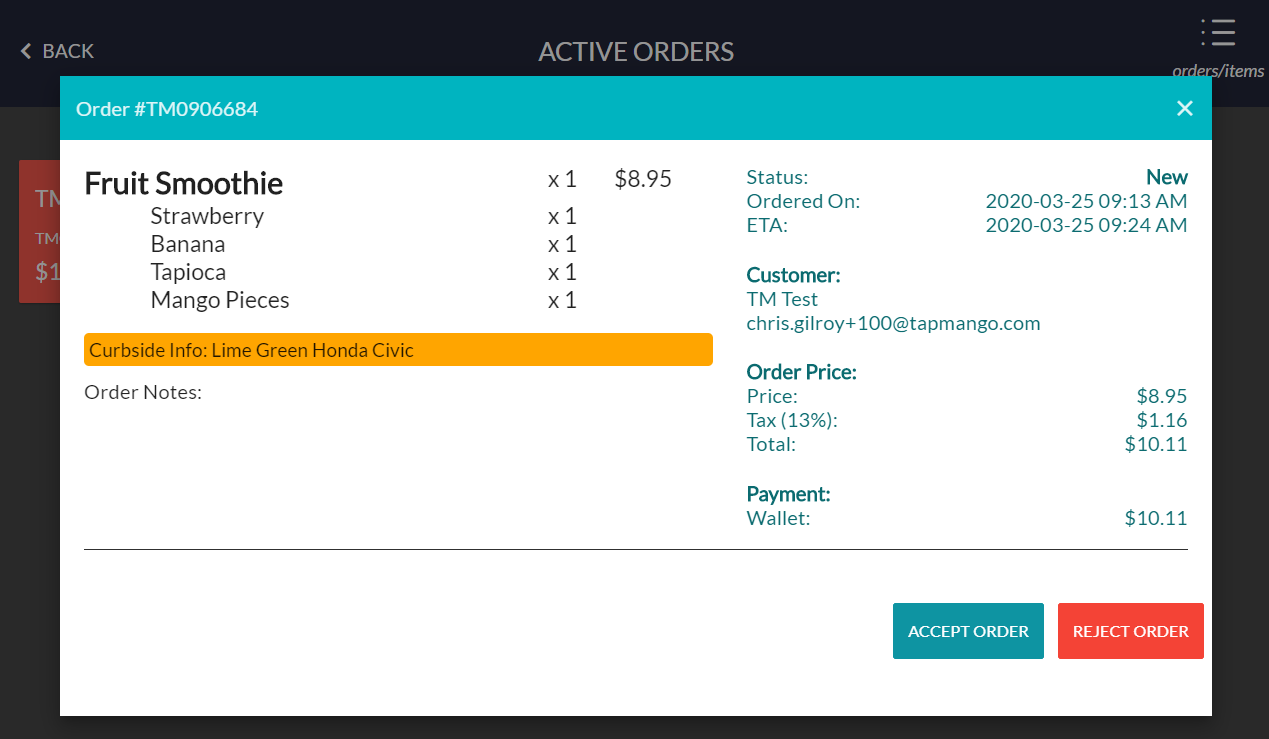
2Step 2When this order is selected, the curbside info the customer entered is shown, and the order can be accepted as normal.
3Step 3Complete the order and mark it ready for pickup when it is ready.
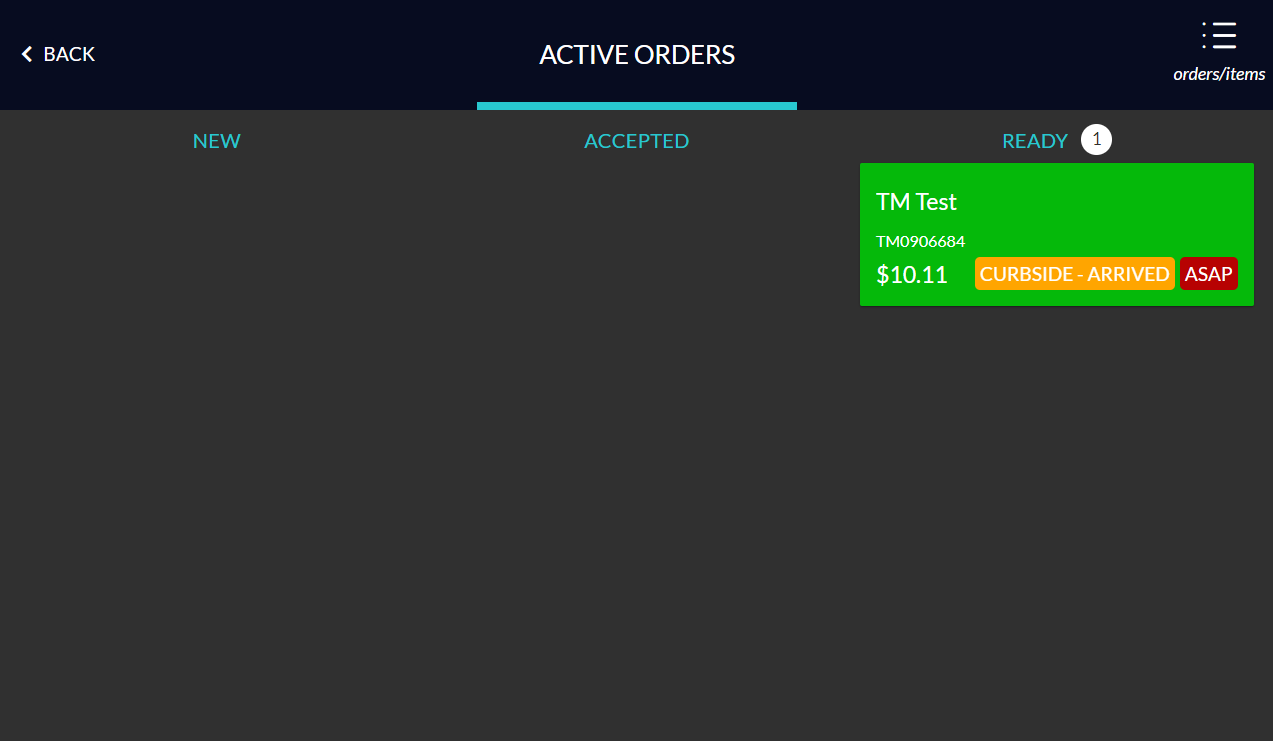
4Step 4When a customer taps I'm here, a flashing CURBSIDE - ARRIVED notification tells staff they can take the order out, using the notes to know who it is for.
5Step 5Mark the order as picked up when finished.
A New Curbside Order
A New Curbside Order Details
A Curbside Order Where The Customer has Arrived
Questions?
If you have extra questions don't be shy and talk to us and we'll be happy to help!
Contact usIf you have any questions, talk to us and we'll be happy to help.

Comments
0 comments
Article is closed for comments.