
This article is for learning how to edit information on a customer's profile on portal. On Portal, you can add, remove, or change any information associated with a customer's account.
How Do I Edit a Customer's Profile on Portal?
Before you can edit a customer's profile on portal, you will first need to navigate to your customer list to access your customer database.
Where's my Customer List?
You'll find your customer list under https://portal.tapmango.com > Customers > Customer List
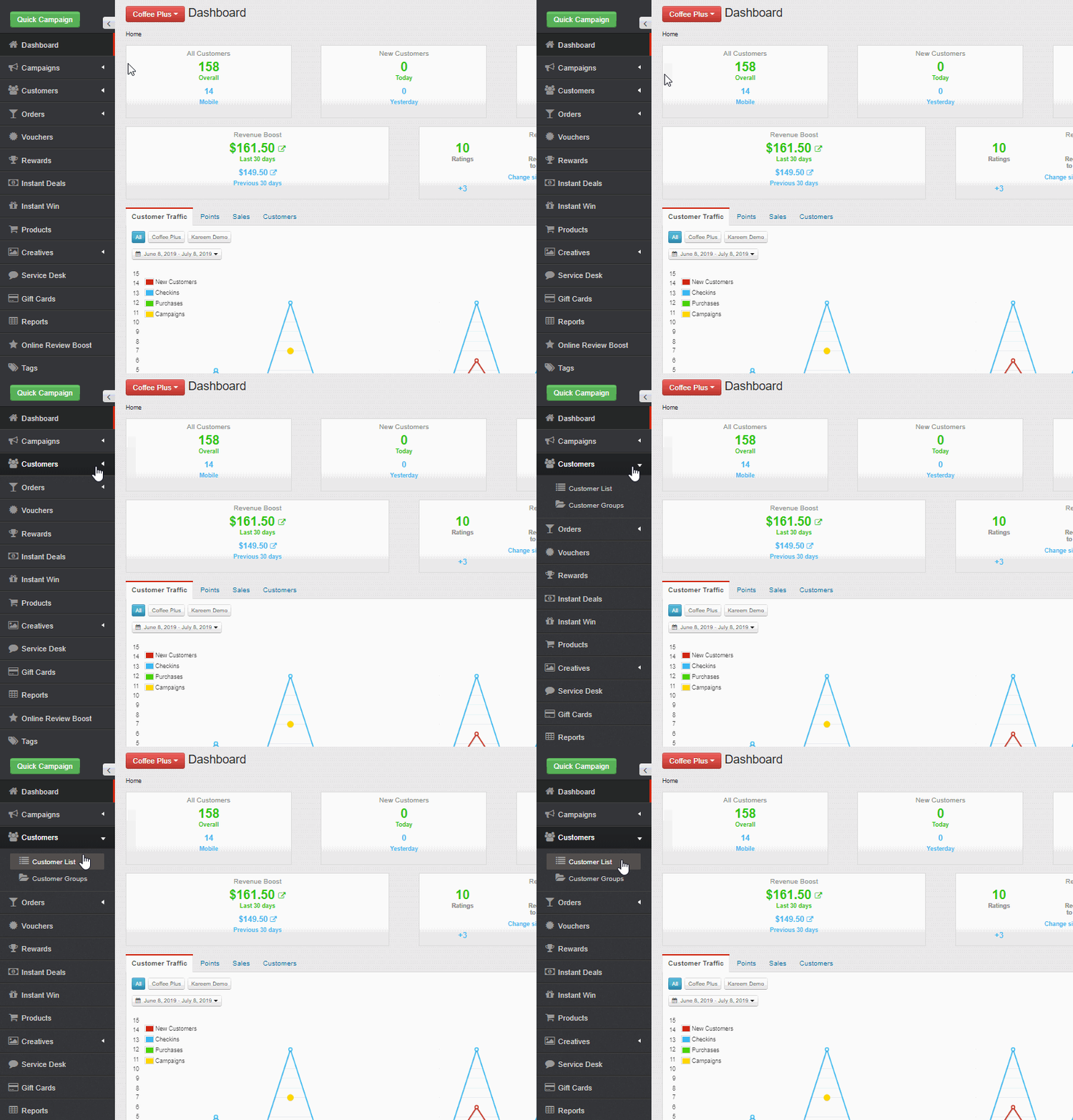
Searching For a Customer
Once you are in your customer list, you will need to locate the specific customer's profile that you want to edit. In order to locate the customers profile, you will need to search for them in the search bar using either their; name, email or phone number.
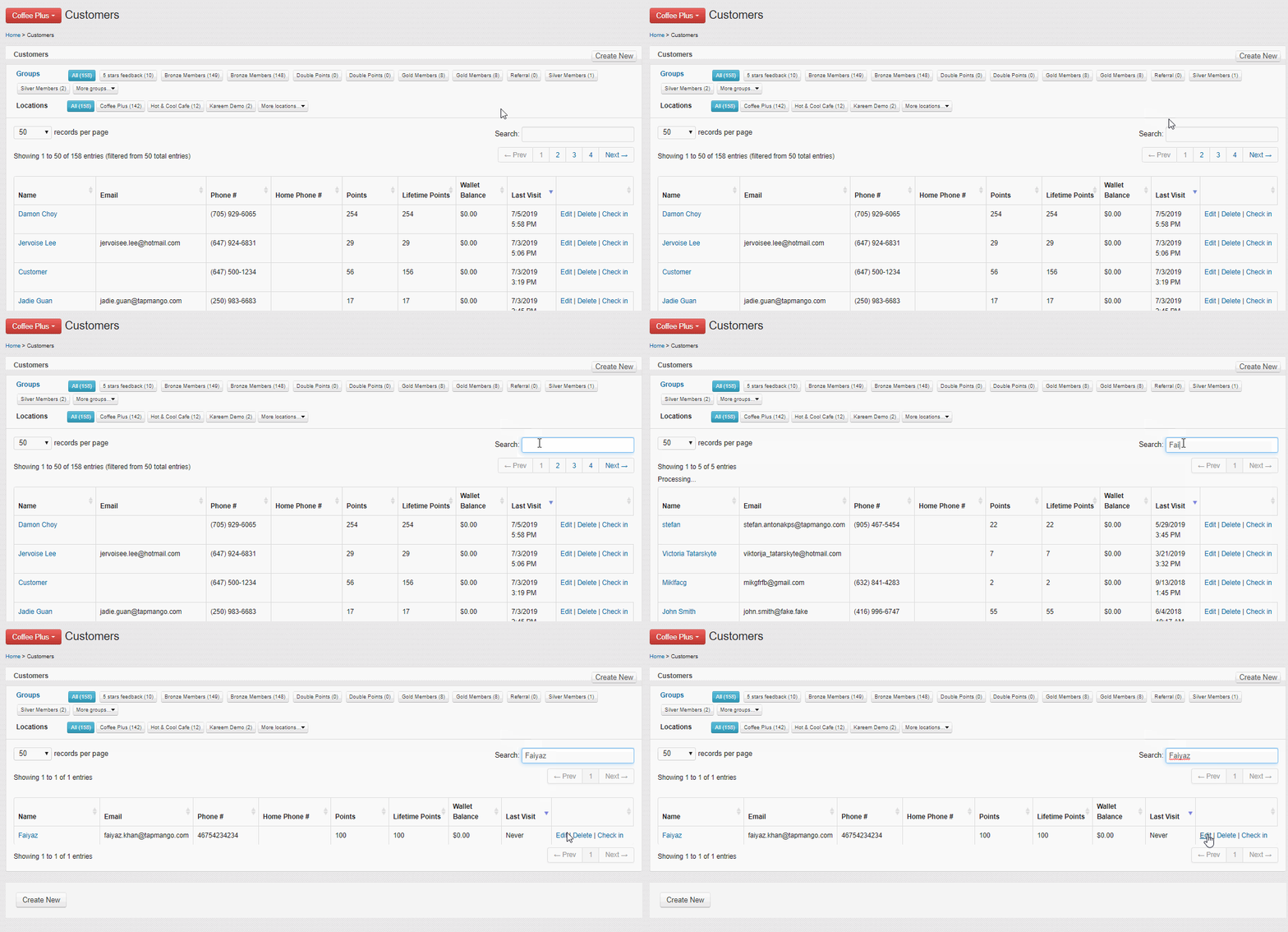
Editing a Customer Profile
Select Edit to open up the customer profile. Then, make any changes to information you want to update and hit submit to save changes. After you have hit submit any changes you have made have now been saved to the customer's account.
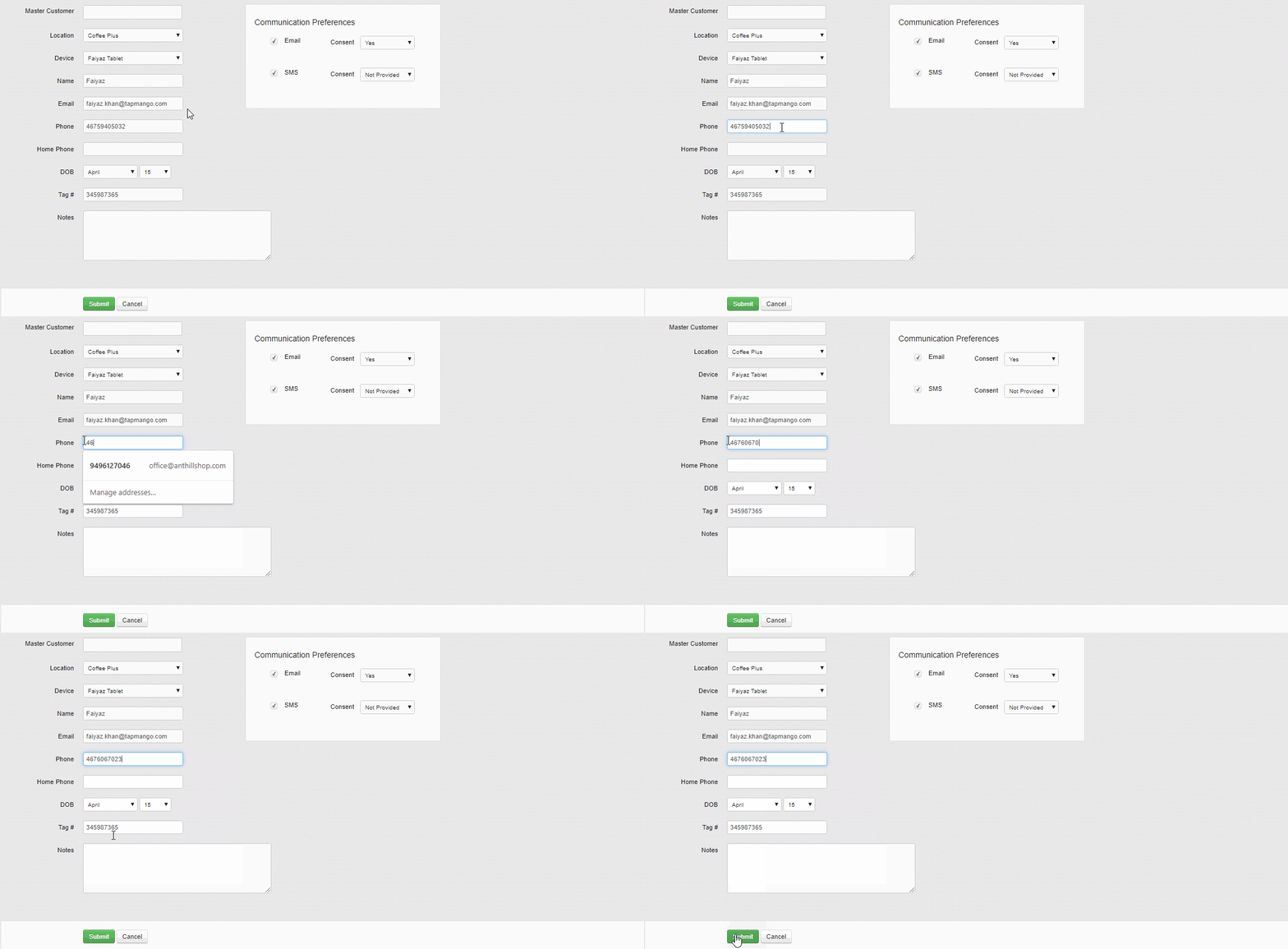
Additional Questions?
As always, if you have any additional questions that isn't covered in this guide do not hesitate to contact us and we'll be happy to help.
Comments
0 comments
Article is closed for comments.