
This article is specific to the ASUS model tablets. Please read the issue described section below to be sure this is the problem you're experiencing before trying the steps outlined.
Issue Described
Certain routers can cause an issue with ASUS tablets, causing the tablet to restart shortly after connecting to the internet. You'll know you have this problem if:
- Your tablet model is ASUS (
 )
) - The tablet powers on fine and loads
- The tablet restarts shortly after connecting to Wi-Fi
What Causes This?
We've identified an issue with specific routers and connection setups that can cause this issue.
Specifically with the internet service provided Spectrum (Time Warner Cable) and the Sagemcom F@ST modem/router combination.
The issue is caused when using an IPV6 setting on the router portion.
How do I fix it?
Fixing this is pretty simple - you just need to sign into the router settings and make a quick change then save. It's only a few steps.
Sign Into the Router Settings
Where to Go?
On a web browser (mobile is fine, this guide will use desktop screenshots) go to the address: http://192.168.1.1
What's the Login?
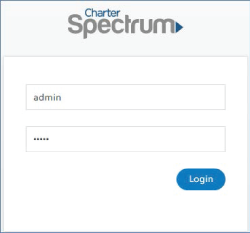
The default username/password is supposed to be:
- Username: admin
- Password: admin
The Login isn't working!
It's possible this was changed when your router was setup. You'd need to ask the person responsible for the internet at your business what the login is. If this is you then contact tech support with your internet provider to find out the login or how to reset it
Turn off IPV6
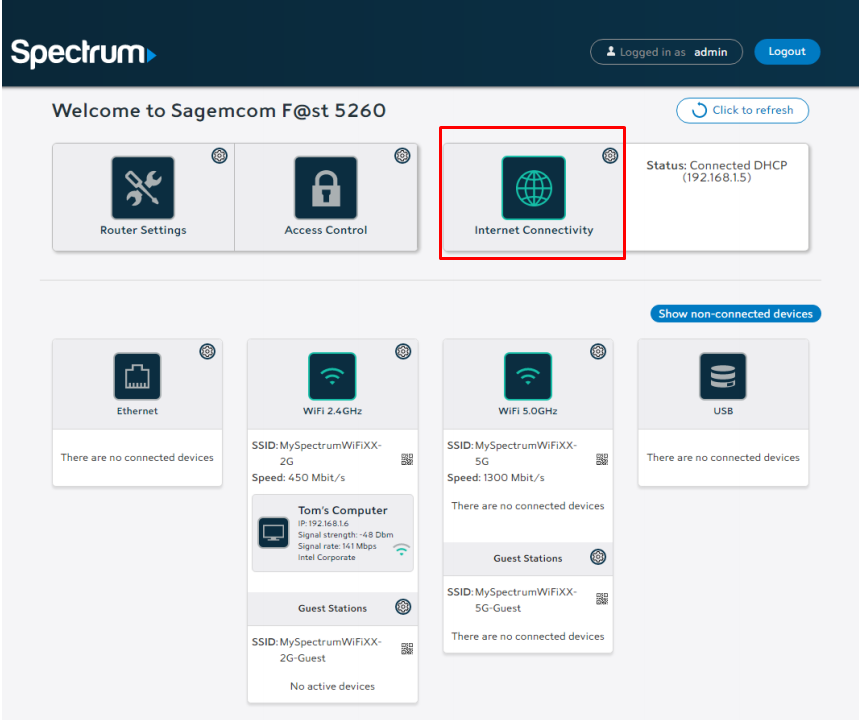
Go to Internet Connectivity
You should see an option called 'internet connectivity' click this.
Disable IPV6
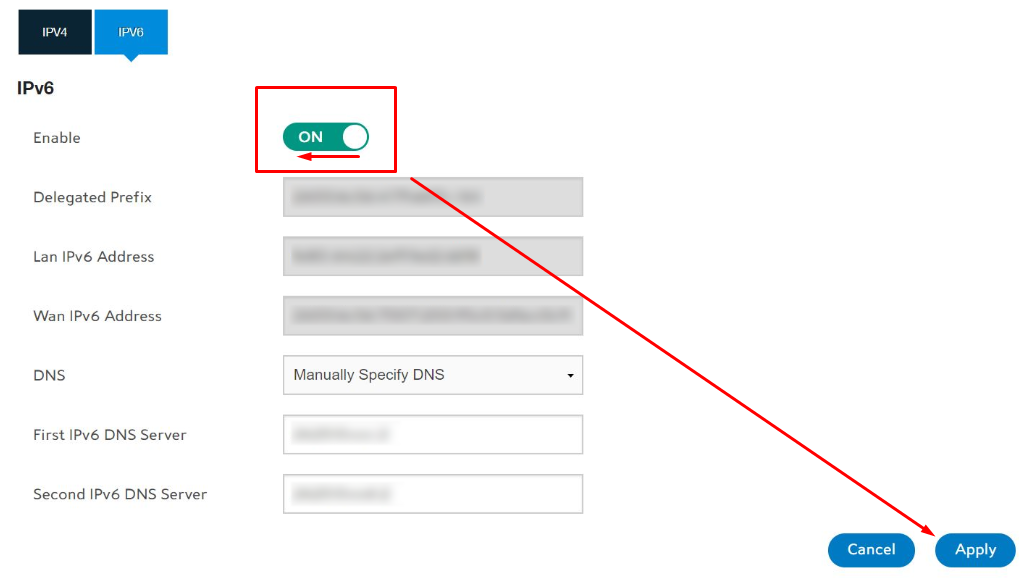
Now you should see 2 options, IPV4 and IPV6
- Click IPV6
- Select the toggle next to enable
- Select apply in the corner
- Your router will take a minute to reset
- Your devices should now reconnect to the internet
Reconnect The Tablet
Now you should be able to connect the tablet, or turn it on (if the tablet was automatically connecting to the internet) and it shouldn't restart
Things to be Aware Of
If your shop is setup with static IP addresses for any of your security cameras or POS machines you may want to contact those companies first to find out if disabling IPV6 will cause a problem.
None of this is working? Let us know!
While the above are the most common reasons you may see a problem - there could be something else. If this is the case it's best to just talk to us and we'll help out.
Comments
0 comments
Please sign in to leave a comment.